
Pareto Charts That Help Teams Focus on What’s Really Holding Them Back
When every issue feels urgent, teams waste time chasing symptoms instead of solving root causes. EviView’s built-in Pareto charts bring clarity to your data, showing exactly which problems are having the biggest impact on operations so your team knows where to act first.

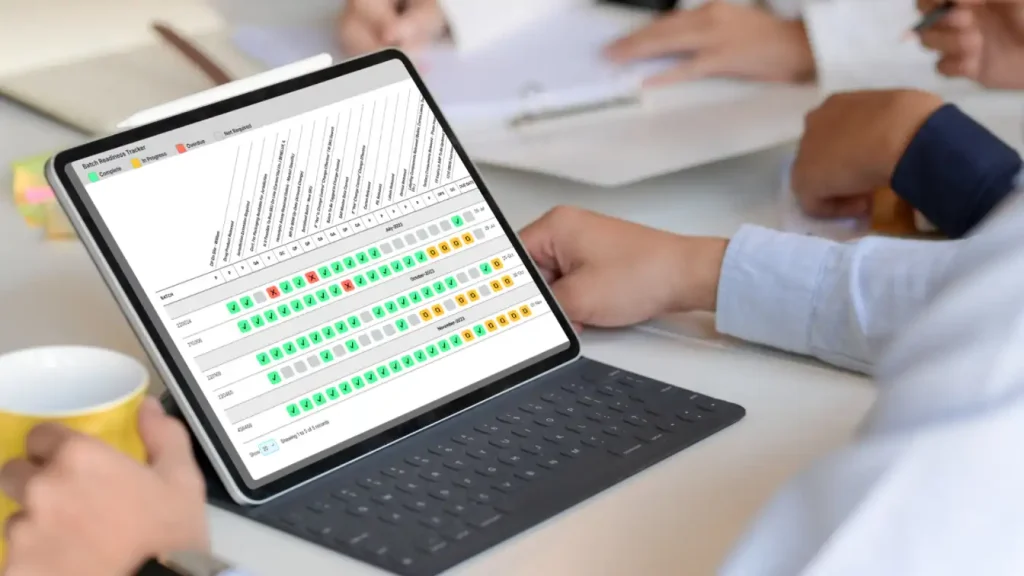
What Pareto Charts Look Like in EviView
Pareto charts help teams stop guessing and start prioritizing. In EviView, they’re built directly into your shift data and dashboards, so you can visualize top contributors to downtime, quality issues, or delays in real time.
- Highlight the most common failure modes, blockers, or delays
- Visualize frequency vs. impact to guide decision-making
- Filter by line, department, date, or shift for sharper insights
- Track changes over time to validate improvements
Why Pareto Charts Drive Smarter Decisions
Tracking issues is only useful if teams know what to do next. That’s where Pareto charts make the difference. Instead of reacting to the latest problem, EviView helps teams focus on the problems that show up the most and cost the most.
With Pareto charts built directly into shift data and dashboards, teams no longer need to pull reports or build graphs in Excel. Over time, they start to see patterns that help guide root cause analysis, focus CI projects, and prevent the same issues from repeating.
Spot the Biggest Contributors Fast
No more guessing. See which 20% of issues are driving 80% of problems instantly.
Track Progress Over Time
Use real data to show what’s improving and what needs continued attention.
Prioritize the Right Actions
Don’t spread your team thin. Focus energy and resources where they’ll have the greatest impact.
Keep Everyone Aligned
Visual charts make it easy for operators, engineers, and leaders to agree on what matters most.
Designed for Frontline Use , Backed by Real Data
Unlike static Excel charts or generic dashboards, EviView’s Pareto tools are connected directly to shift activity. That means the insights are real-time, grounded in operational context, and ready to act on, not just analyze.
Whether tied to production, maintenance, or quality, Pareto charts in EviView align with your MES, QMS, and ERP systems for smarter decision-making at every level.

How Teams Use Pareto Charts to Improve Shift Performance
Operations, quality, and CI teams across industries rely on EviView’s Pareto charts to identify patterns, prioritize projects, and accelerate problem-solving. Here’s how real teams are using them to focus efforts and close the gaps that matter most.

Merck
EviView’s Digital Daily Management System has been transformative for Merck. By streamlining shift handovers, centralizing data, and integrating with SAP and Palantir Data Lake, we’ve reduced downtime by 30% and saved €66,000 annually. The system has boosted visibility, improved communication, and increased safety incident reporting by 300%, fostering a culture of continuous improvement and positioning us for long-term success.

Pharmaceutical Company, US
Head of Digitalisation and Strategy
Electronic Handover
I worked with EviView on an electronic handover project. Their team was very knowledgeable, took time to ensure all stakeholders were kept up to date with the progress of the project, and was always available to give advice on system usage during implementation.
Bio-Pharma Company, US
Manufacturing Team Lead
Top 5 Pharma Manufacturer
Karol’s team delivered a highly successful change management and digital transformation project. His structured approach, detailed analysis, and process-driven methodology have been invaluable on every project. EviView’s understanding of business, IT, operations, and budgetary needs is unmatched.

Top 5 Pharma Manufacturer, EU
Senior Manager of Engineering & Maintenance

From Pareto Analysis to Actionable Change
A chart is only useful if it leads to action. In EviView, every insight from your Pareto chart can trigger follow-up tasks, highlight missed steps, or feed into continuous improvement workflows. Pareto isn’t just for reporting anymore — it’s part of how your plant operates.














Turn Shift Logs Into Operational Insight
EviView doesn’t just store shift entries, but it also uses them. Logged events, comments, and escalations feed your dashboards automatically.